 ABPRINT

Exam Photo & Signature Resizer
Pick your exam, crop the photo and get a JPG with the exact pixel size and file size the form asks for.
Exam Photo & Signature Resizer
Size rules badalte rehte hain — form ka latest notification ek baar zaroor dekhein, zarurat ho to upar ke box badal dein.
How to use Exam Photo & Signature Resizer
- Choose the exam and photo / signature type
- Add your photo and adjust the crop
- Press Make — size and KB are set automatically
- Download and upload it in the form
Features
- Ready presets for 10+ exams
- Exact KB range (min and max)
- Name and date strip option
- Custom size for any other form
FAQ – Exam Photo & Signature Resizer
The form says my photo is too small in KB. What now?
The tool raises the file size to the minimum KB automatically without changing how the photo looks.
Are the preset sizes always correct?
They follow the usual notification rules, but rules change — check the latest notification once and edit the size boxes if needed.
Is Exam Photo & Signature Resizer free?
Yes, it is completely free to use on ABPRINT — no wallet charge and no watermark.
Are my files uploaded to a server?
No. The tool runs inside your browser, so your photos, documents and data stay on your own device.
Does it work on mobile?
Yes, it works in Chrome, Edge, Safari and Firefox on Android phones, iPhones, tablets and computers.
Related free tools
 Aadhaar / PAN Slip Print Layout
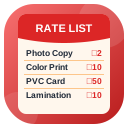 Shop Rate List Banner
 Token / Queue Slip Generator
 Exam Age Calculator (Age as on Date)
 WhatsApp Direct Sender
Run a CSC / print shop?
ABPRINT gives you RC, DL, voter, ration, PAN and Aadhaar print services with one wallet — plus all these tools inside your dashboard.